

Documentation Index
Fetch the complete documentation index at: https://invopop-fr-lookup.mintlify.app/llms.txt
Use this file to discover all available pages before exploring further.
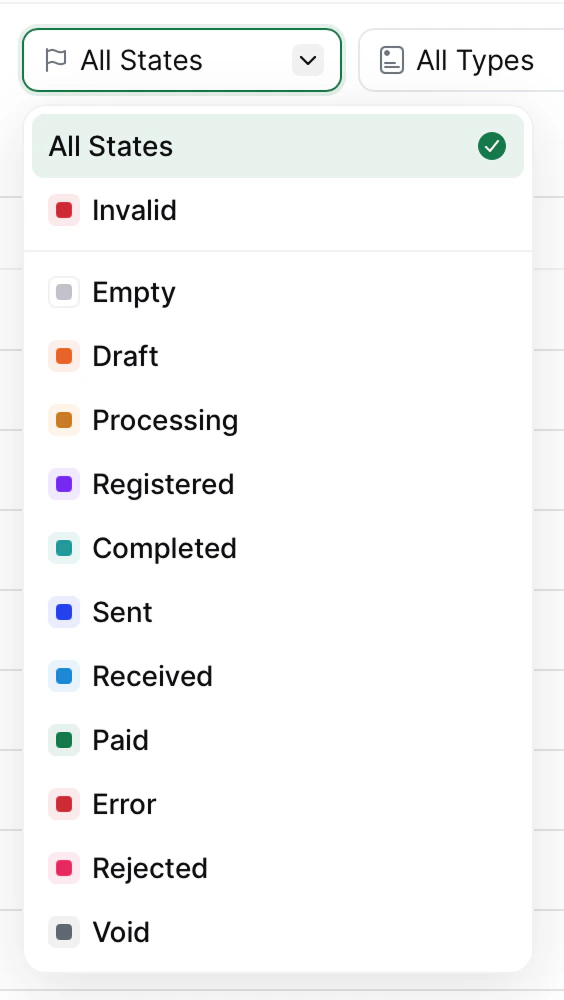
Error, even though the document may actually be affected. The state label only changes when you explicitly change it through the “Set State” workflow step or through the API (though Empty and Invalid are exceptions to this rule).
We provide the following states to label the document throughout its lifecycle. Here they are described in order to assist you in selecting appropriate states for your documents (via API or workflows).
| Invalid | This state cannot be selected. It is set by the system when a GOBL document is uploaded through the API with the allow_invalid option, or is received through a network such as Peppol or SDI which allow receiving invoices. |
| Empty | Initial creation state before processing |
| Draft | Mainly used to mark documents that will require further changes. |
| Processing | Mainly used to indicate the document is being processed. Typically, the Set State step will be placed at the beginning of a workflow and changed later in the workflow, such as Sent or Error depending on the outcome. |
| Registered | When a party has been granted invoice issuing entitlements, or a document has been registered for reporting. |
| Completed | Generic label for completion of a process. |
| Sent | Document has been successfully transmitted (e.g., to tax authority or customer) |
| Received | Document has been successfully received (e.g., receiving a document in your Peppol inbox). |
| Error | Processing failed with an error, often placed in the error handling area of a workflow. |
| Rejected | Rejected by the tax authority or by a third party (e.g., Peppol participant) |
| Paid | Document (invoice or receipt) has been marked as paid |
| Void | Document or party has been cancelled or voided |