

Documentation Index
Fetch the complete documentation index at: https://invopop-fr-lookup.mintlify.app/llms.txt
Use this file to discover all available pages before exploring further.
Introduction
In this guide, you’ll learn how to connect Stripe with Invopop to automatically generate tax-compliant invoices and credit notes, from your Stripe dashboard. The Stripe integration consists of two components:- An Invopop app within your Stripe dashboard
- An app in your Invopop console
Setup
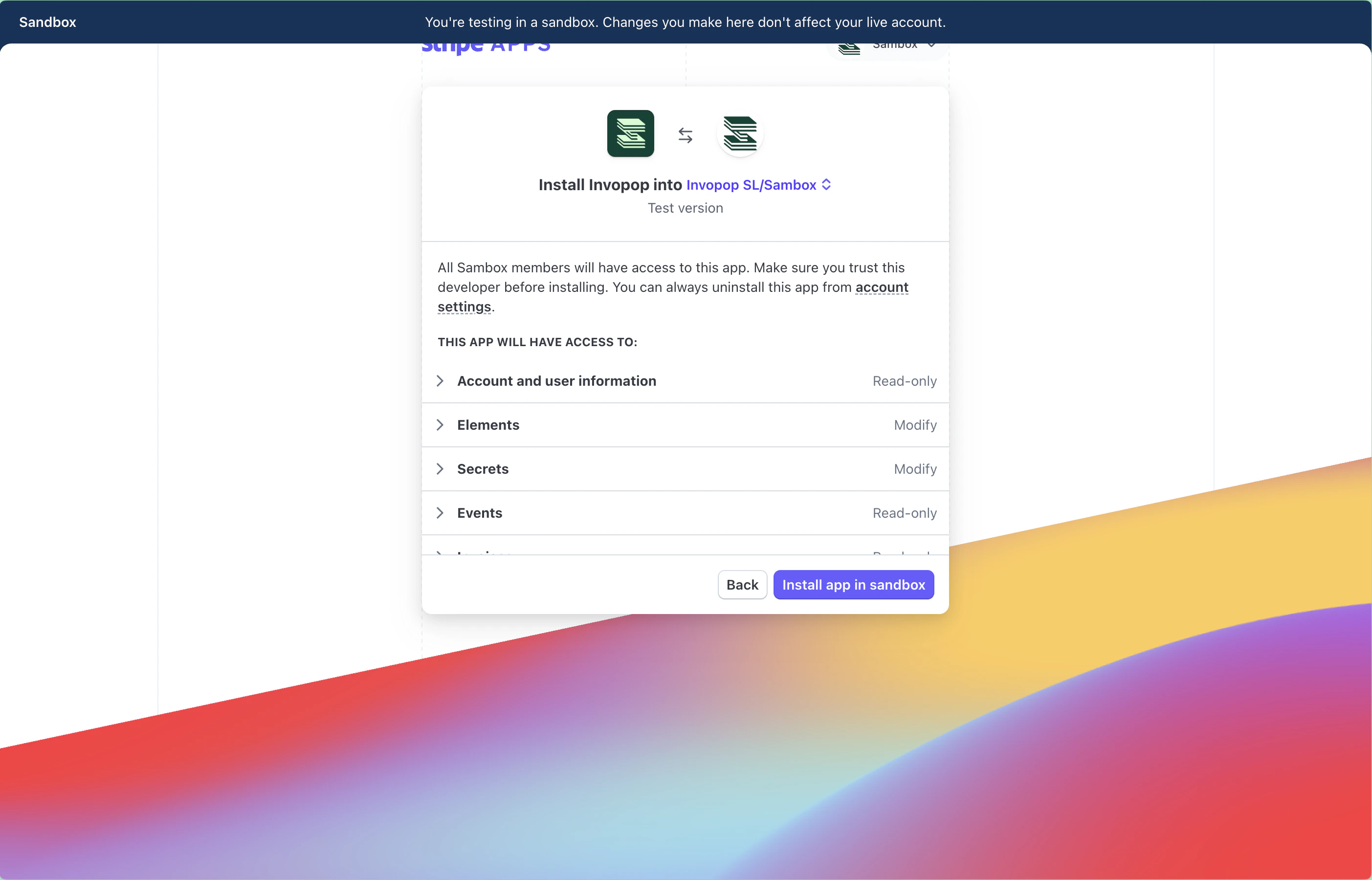
Before you begin, ensure you have an active Stripe account.Install Invopop in Stripe
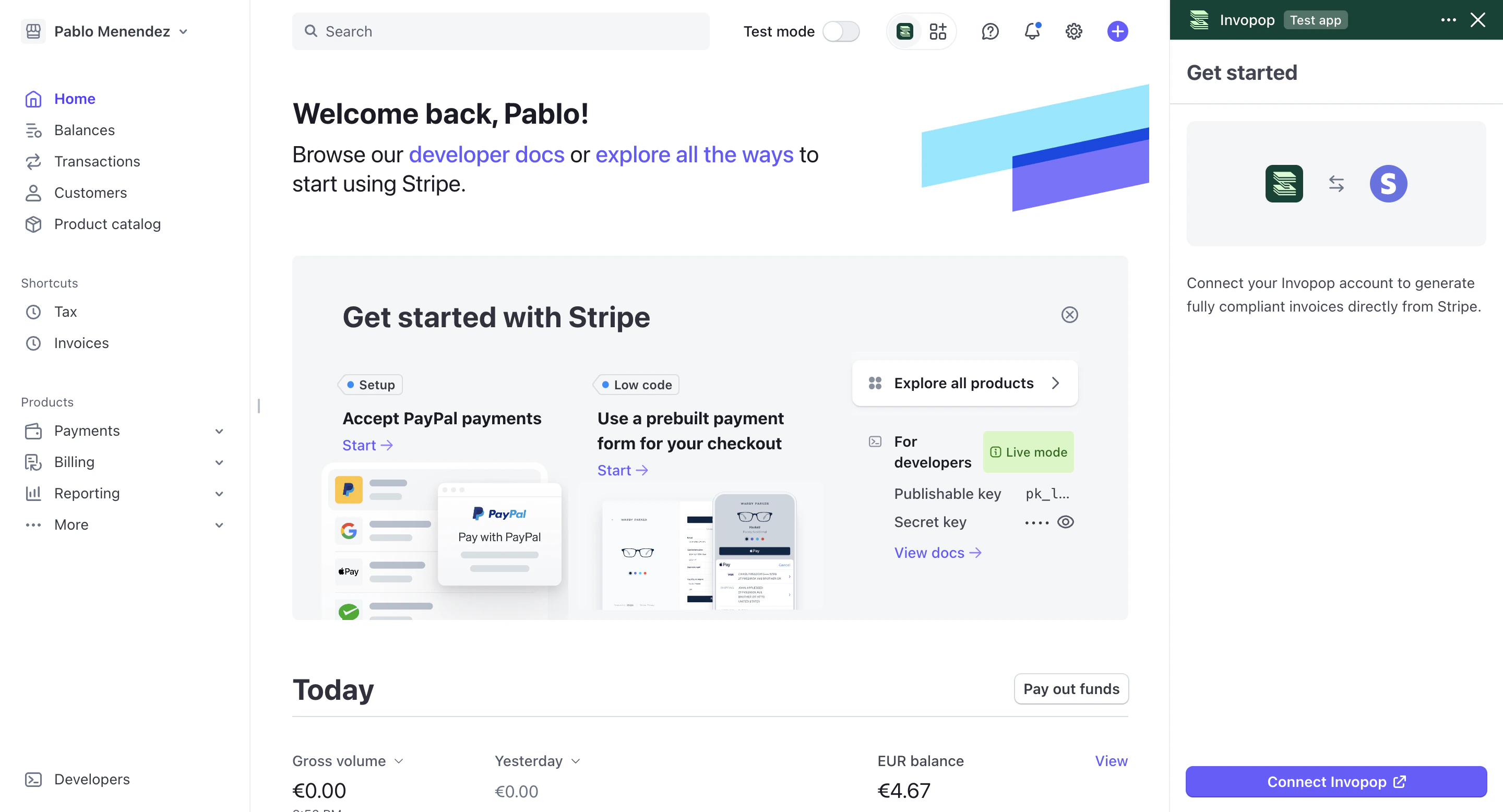
Connect Stripe to Invopop
Select a workspace
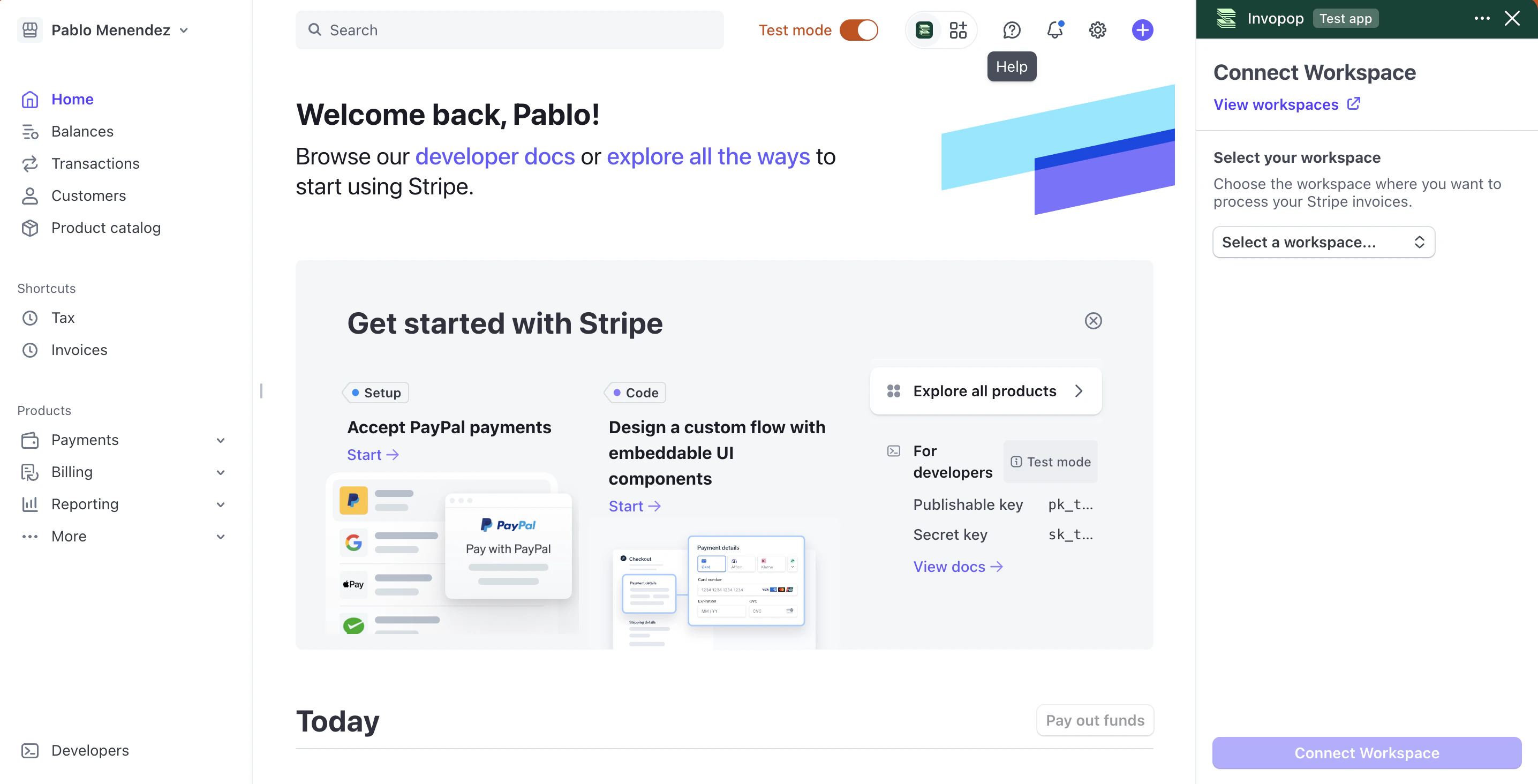
Configure your workflow
- Template
- Code
- Build from scratch
Stripe - VERI*FACTU invoice workflow
Stripe - Basic PDF invoice workflow

Show your tax ID on invoices
Invoice Tax Information section, enter your tax ID, set it as the default, and click Save.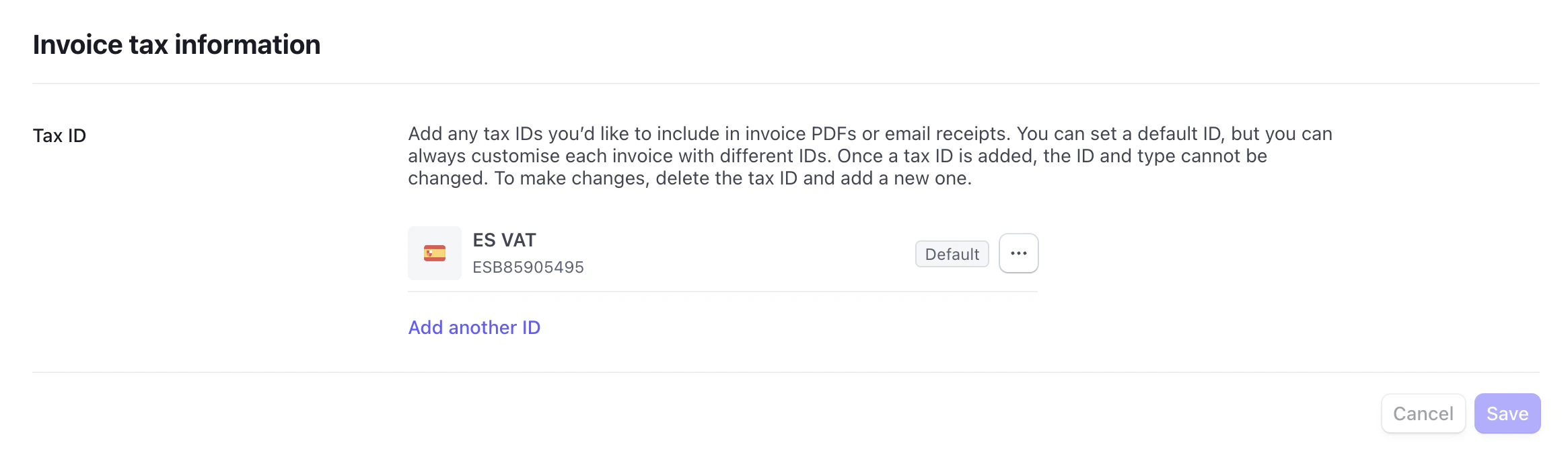
Verify your setup
- Navigate to Stripe app settings
- Confirm your workflow configuration is correct
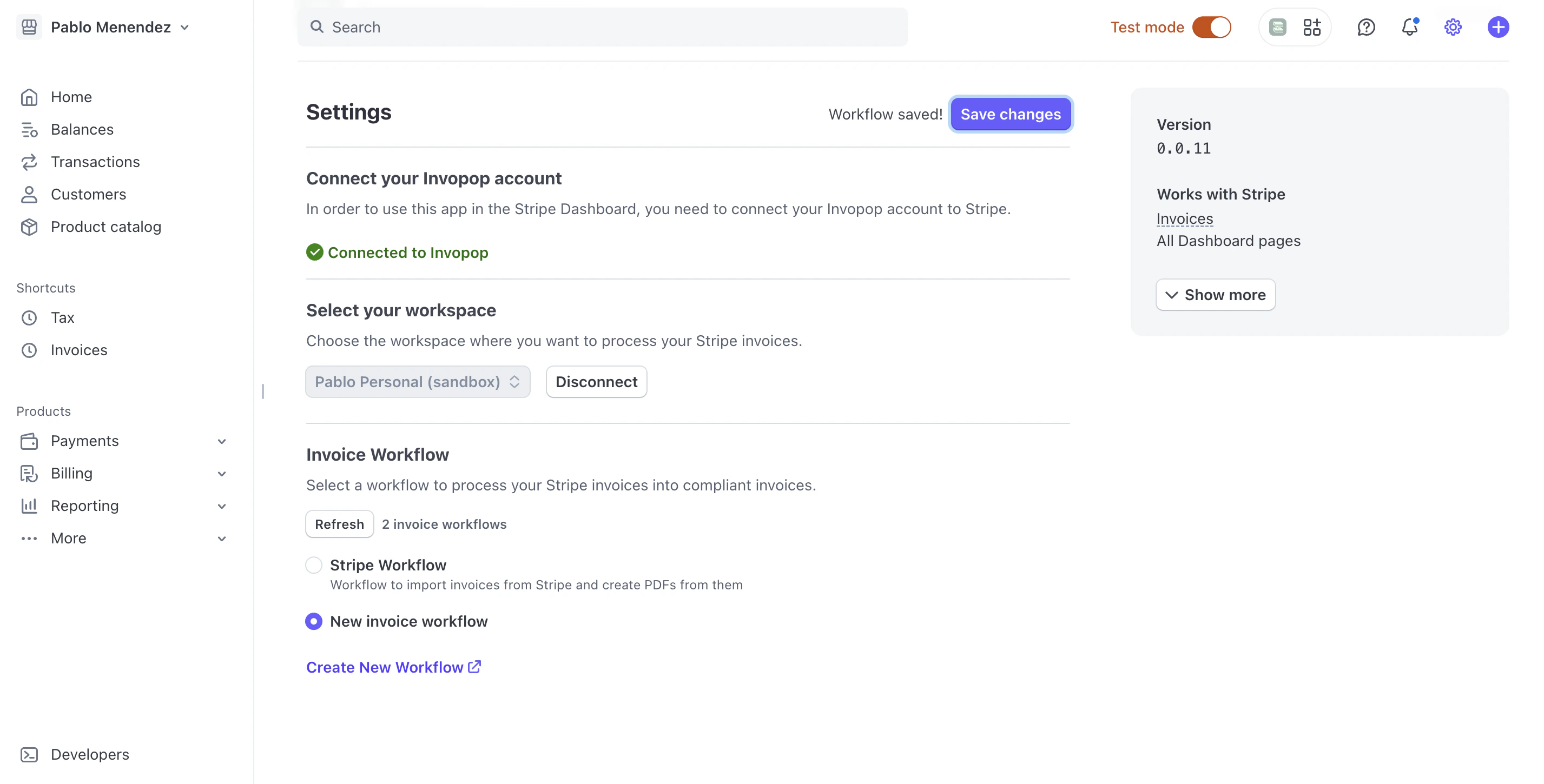
Monitor invoice processing
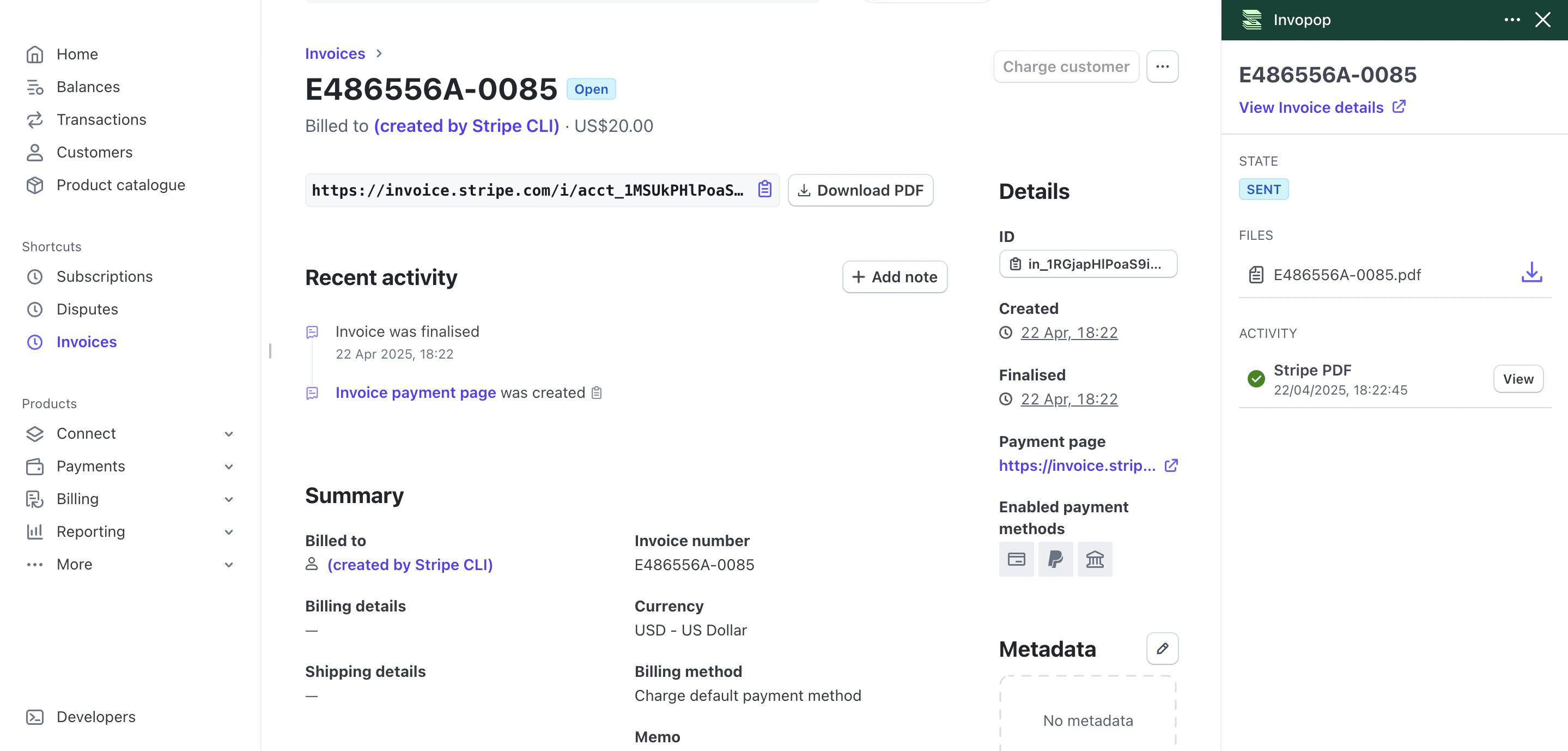
After setup, finalized Stripe invoices are imported into Invopop automatically and saved to theSales folder. Use the steps below to verify status, review details, retry processing, and import historical invoices.
Check invoice status in Stripe
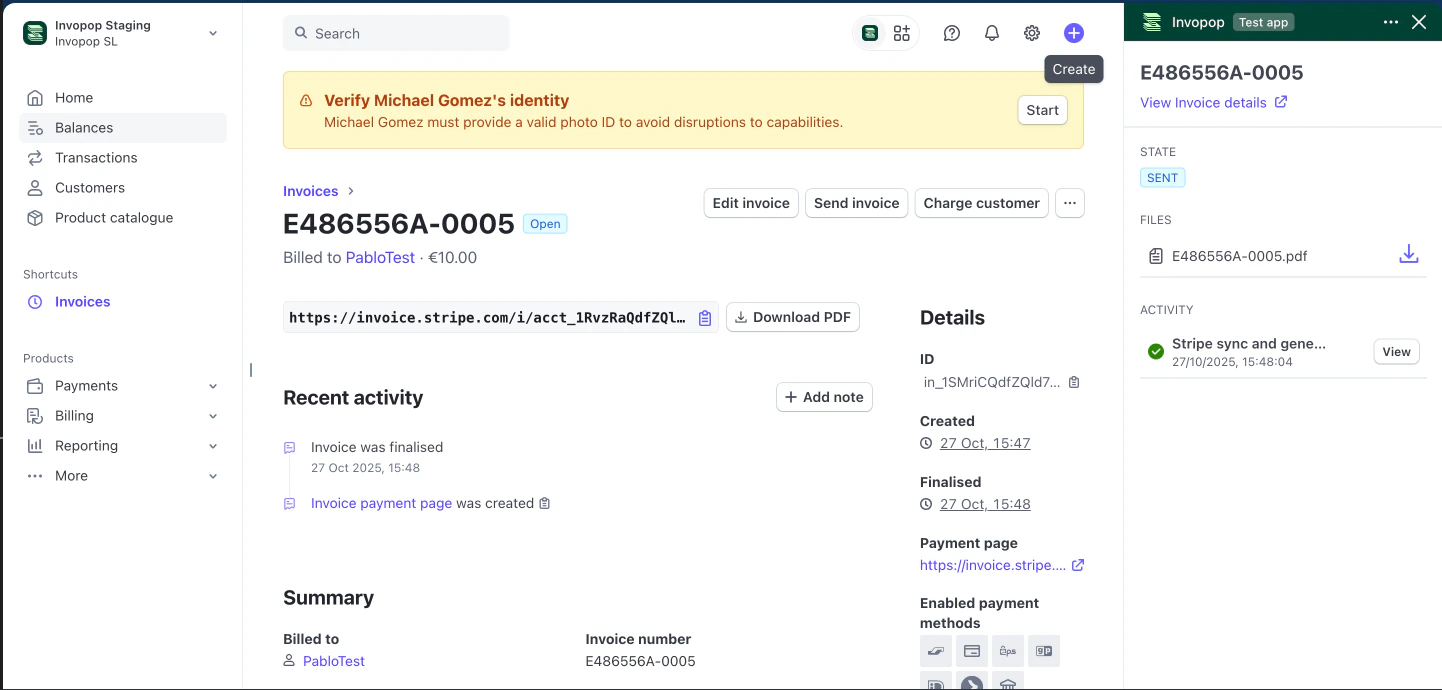
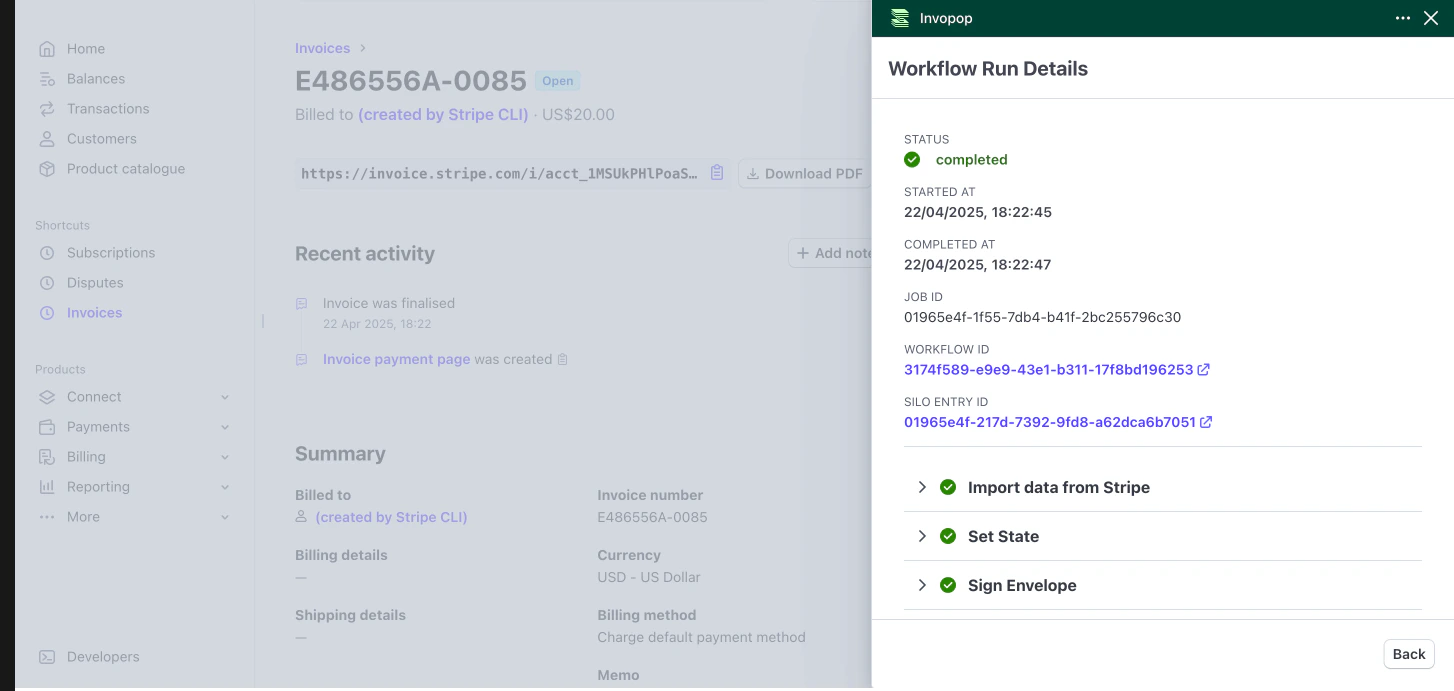
Check invoice status in Invopop
Sales and open the invoice to view its status. To review the underlying processing job, go to Workflows > History and open the job details.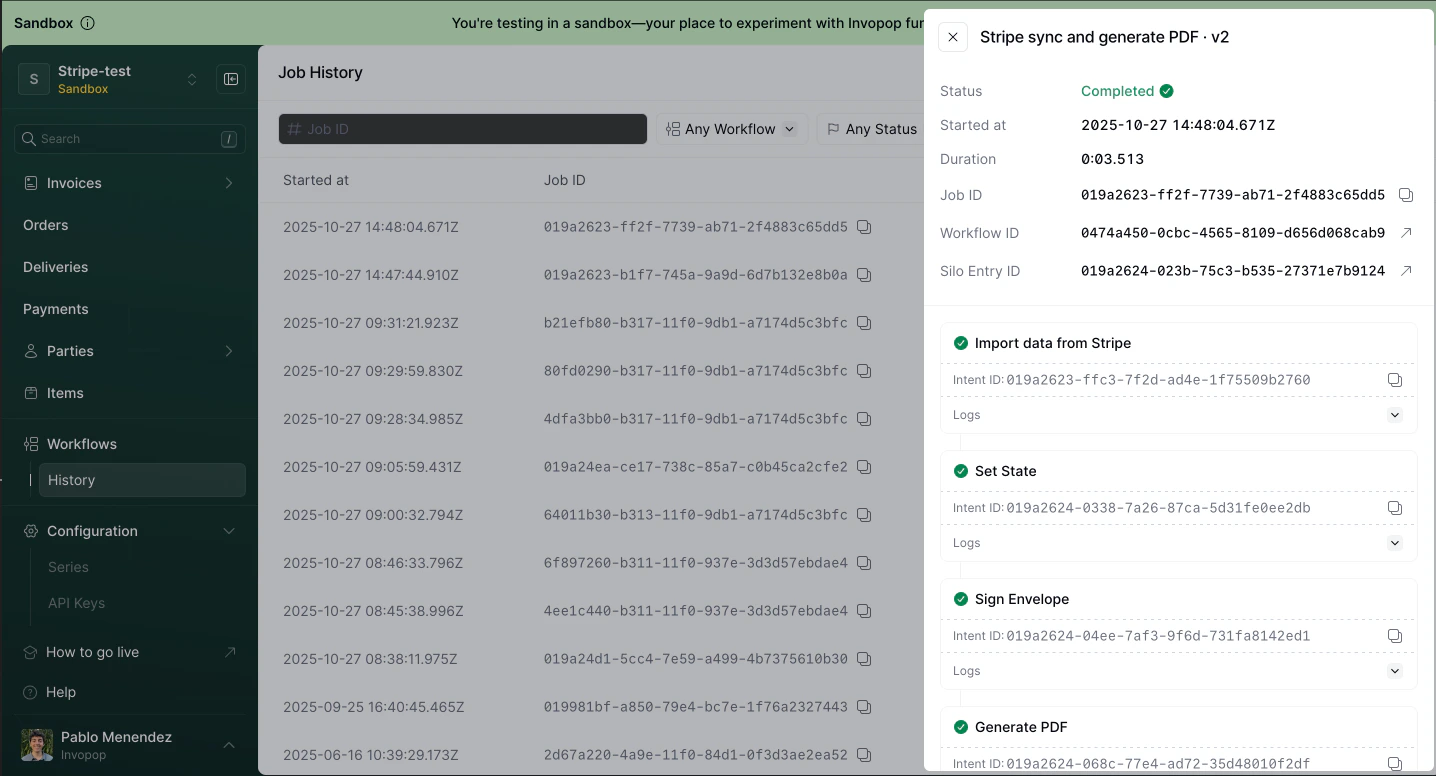
Troubleshoot import errors
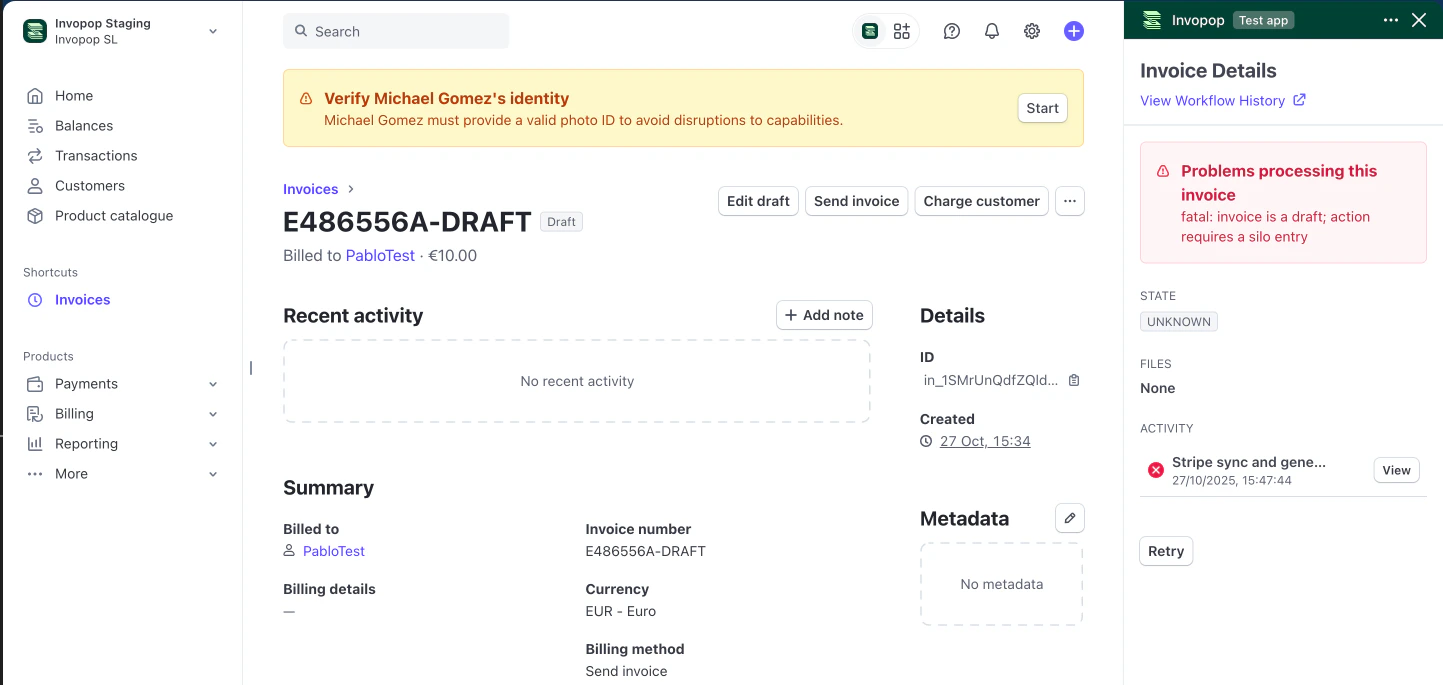
- The invoice was not imported into Invopop because converting from Stripe to Invopop failed. Update the data in Stripe and click Retry in the Invopop panel.
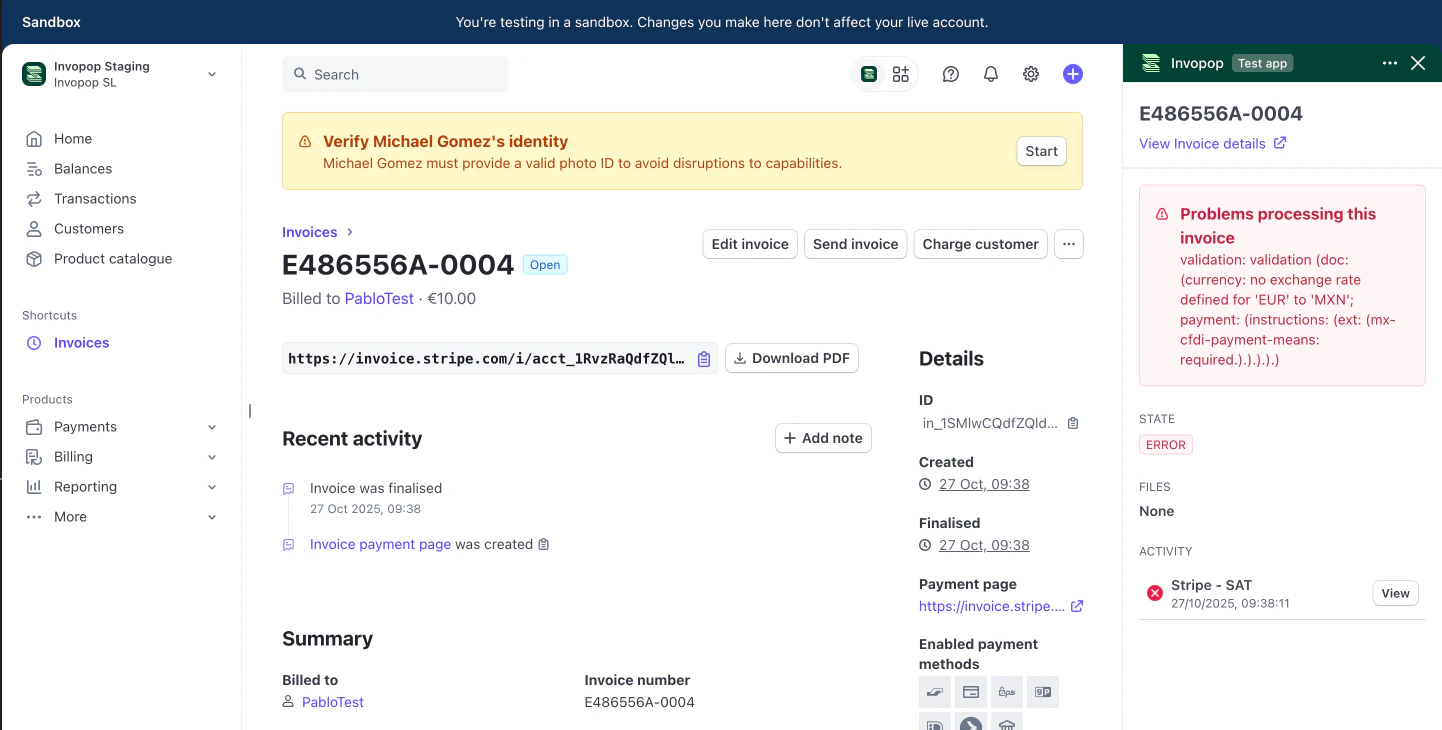
- The invoice was imported into Invopop but submission to the tax authority failed. Correct the invoice in Invopop and re-run a workflow that omits the Import data from Stripe step to avoid reimporting the original data. Typical causes include missing required fields or invalid field formats.
FAQ
Can I change the workflow that processes my invoices to a different one?
Can I change the workflow that processes my invoices to a different one?
- Go to Stripe app settings
- Select a different workflow
- Click Save changes
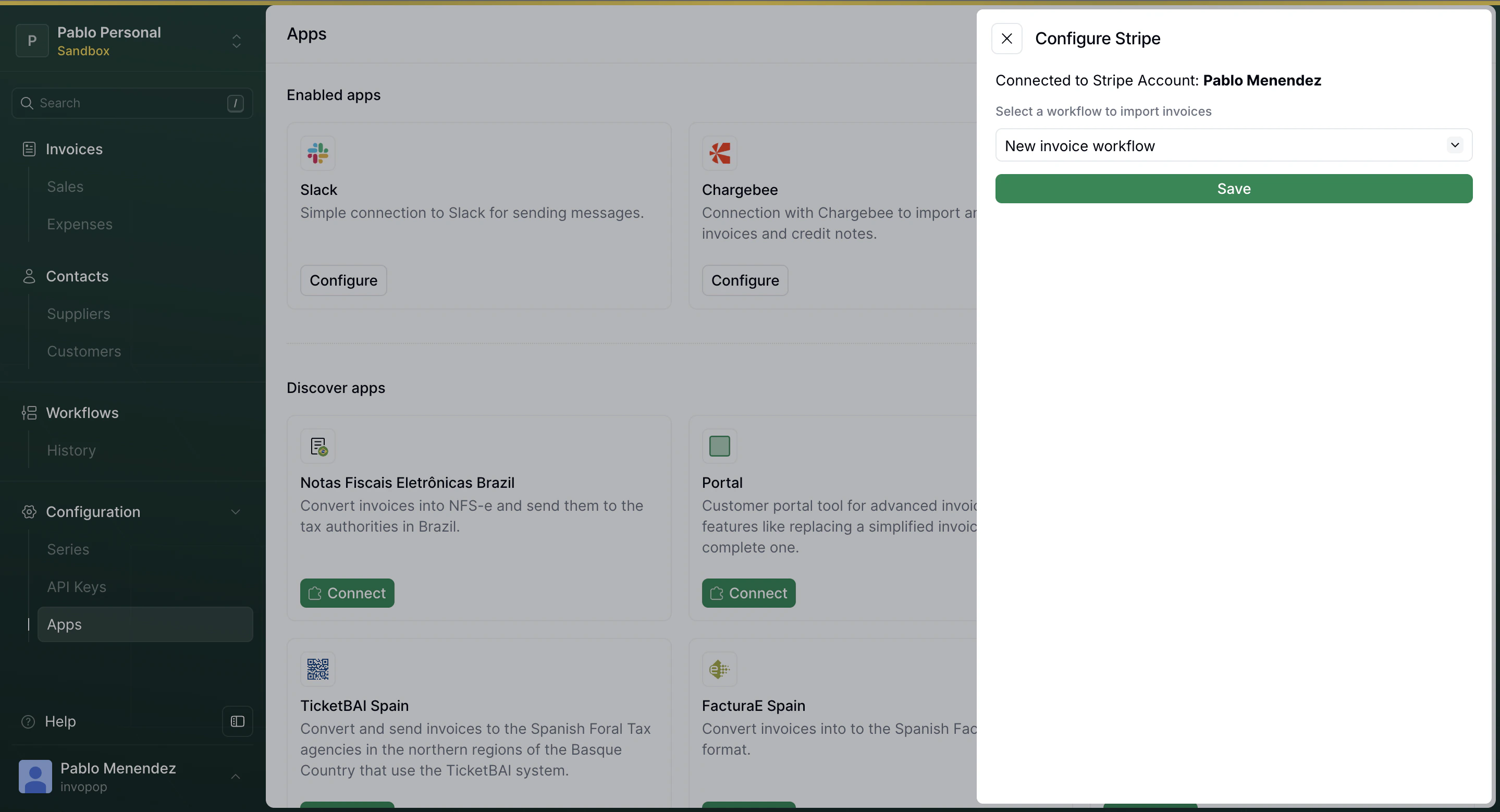
- Navigate to the Apps section in your Invopop console
- Locate the Stripe app settings
- Select your new workflow
How can I switch to a different Invopop workspace?
How can I switch to a different Invopop workspace?
- Go to Stripe app settings
- Click the Disconnect button
- Reconnect the app and select your new workspace
How can I add a Purchase Order number to the invoice?
How can I add a Purchase Order number to the invoice?
PO Number.You can add the custom field in any of these places:- The specific invoice
- The subscription
- An invoice template
Can I import historical invoices (issued before I connected Invopop)?
Can I import historical invoices (issued before I connected Invopop)?
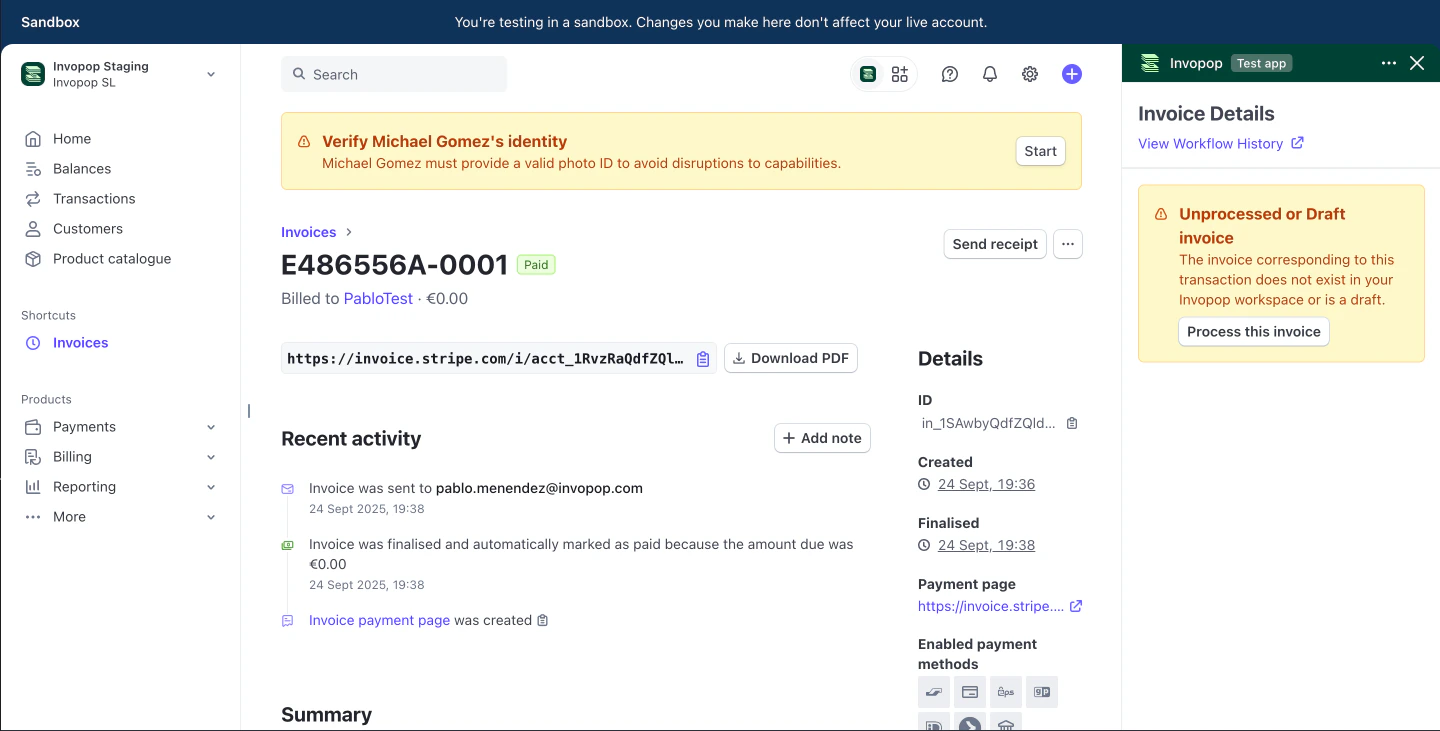
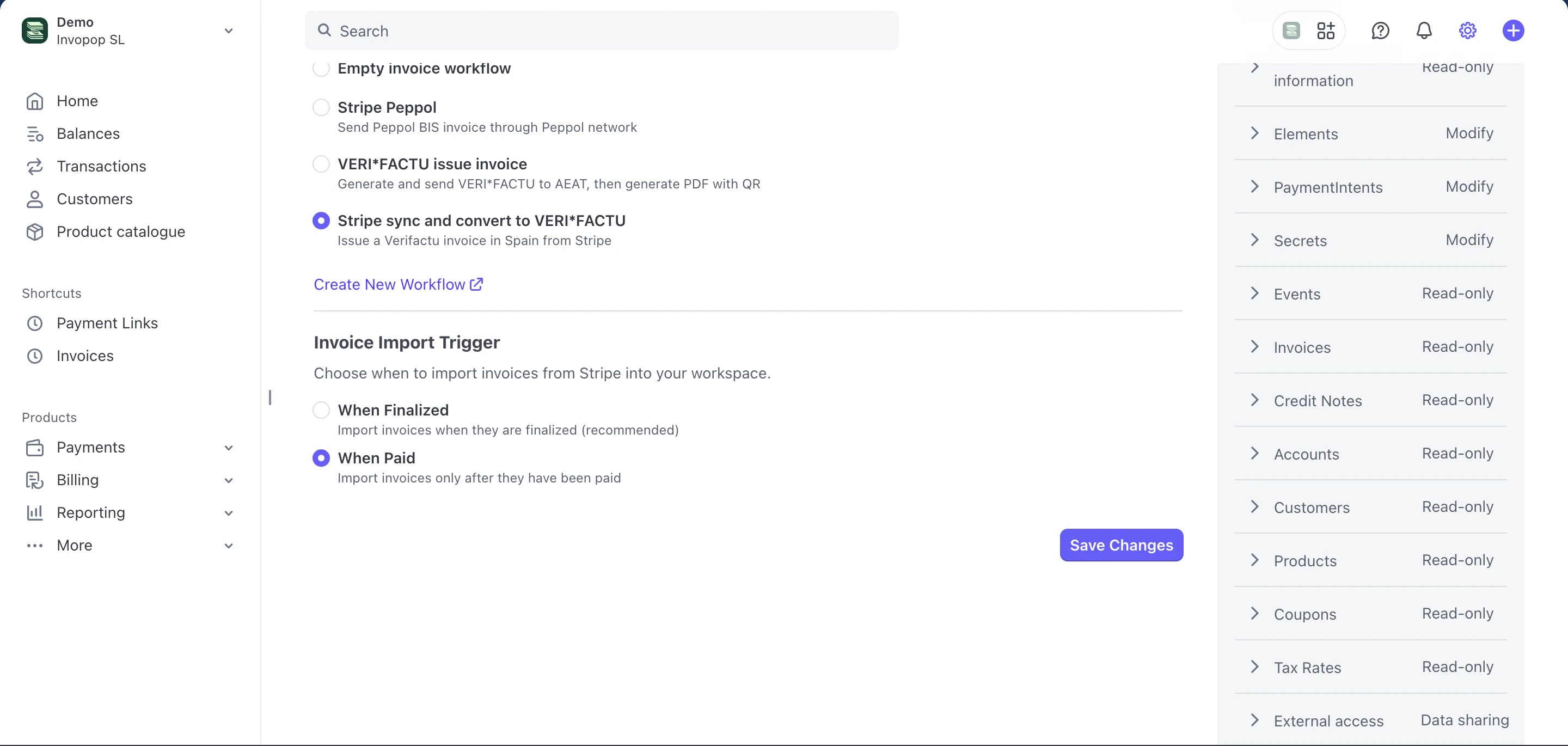
Can I import invoices when paid instead of when finalized?
Can I import invoices when paid instead of when finalized?
- Go to Stripe app settings
- In “Invoice Import Trigger”, select “When Paid” (instead of “When Finalized”).
- Click Save Changes.
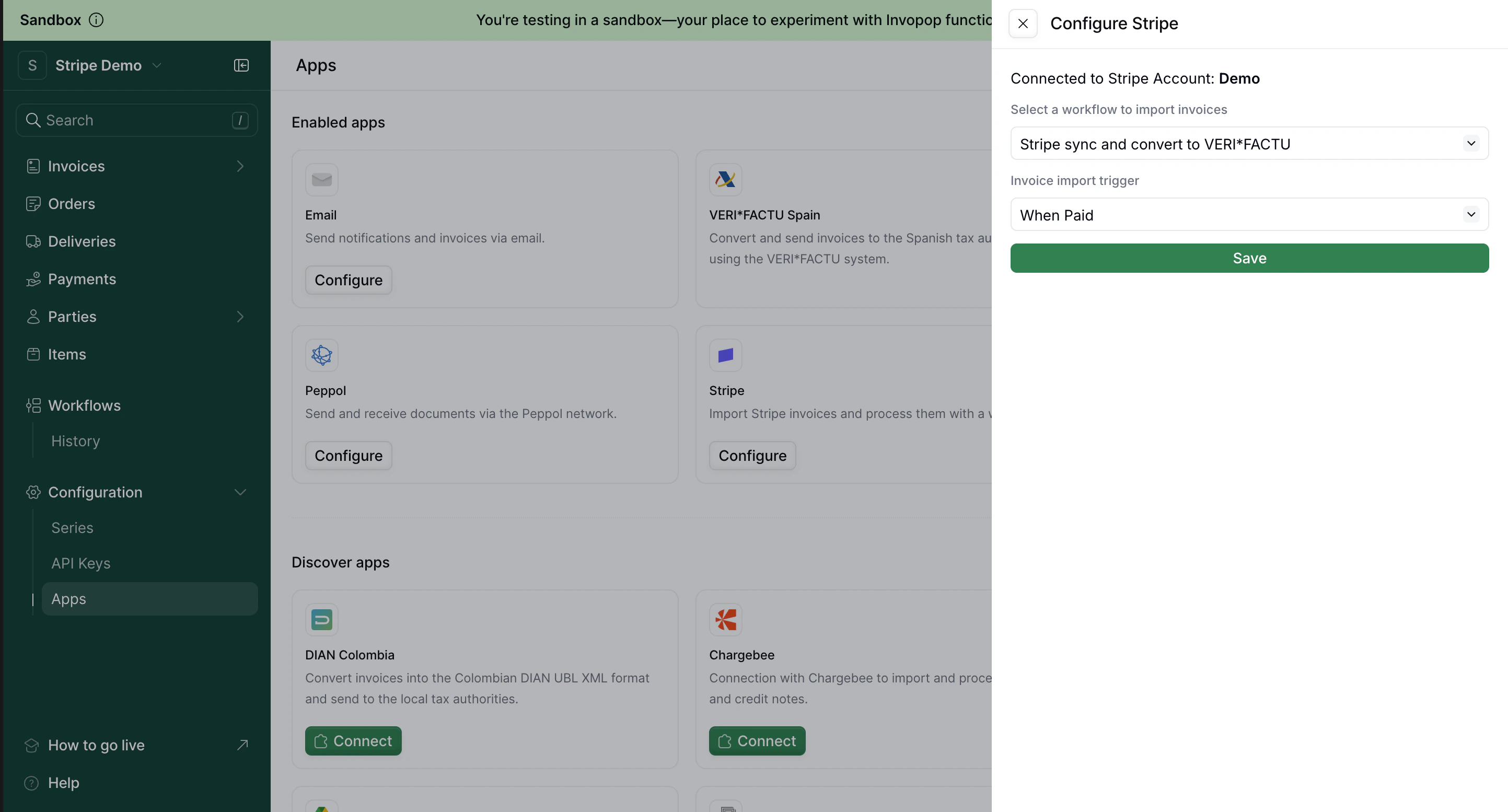
- Go to Configuration > Apps > Stripe > Configure.
- Click Update Settings.
- In “Invoice import trigger”, select “When Paid” (instead of “When Finalized”).
- Click Save.
I get an "access denied: unexpected tax regime" error when processing invoices
I get an "access denied: unexpected tax regime" error when processing invoices